
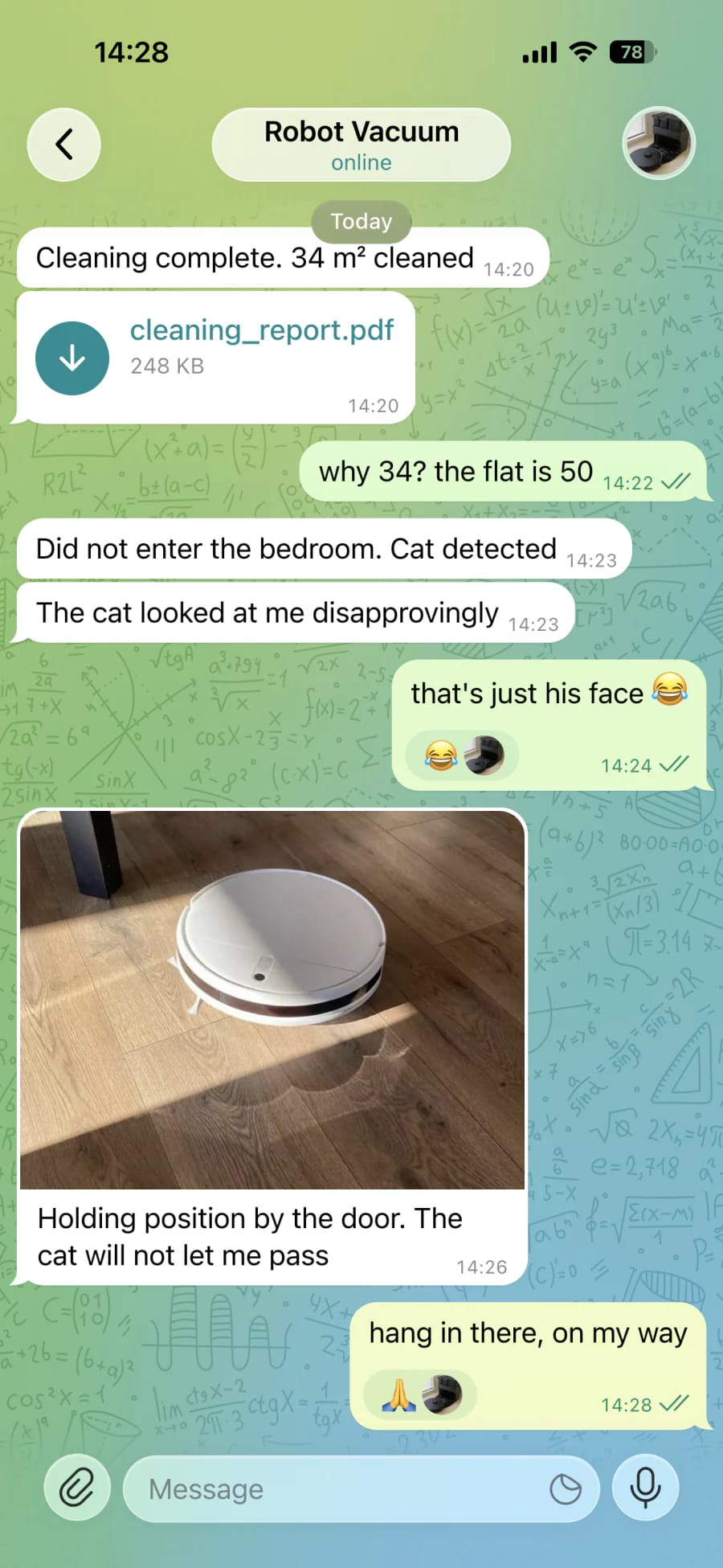
Writing a funny dialog takes a minute. Then comes the hard part: who is it from? Borrowing a friend's photo feels awkward, a picture from Google gets traced by reverse image search in two seconds, and a grey circle labelled "Contact 1" kills the joke before anyone finishes the first line. A fake chat in Telegram lives or dies by the person in the header — and "with anyone" can mean someone you build from scratch, without dragging a real person into it.
Fake chat in Telegram: what you can set about the contact
The messages are only half of it. The other half is the contact at the top of the screen. Here is what you can set up about them in the Fakegram bot (items marked with an asterisk are available with tokens or a subscription):
| Detail | How to set it |
|---|---|
| Name | Your own, or one from the name generator for a country you pick — the "Random companion" button* |
| Photo | Your own image, or a face from a database of 2,000 people of different nationalities* |
| Status | Chosen when you create the screenshot; it controls how the contact's online time is shown |
| Language | Built-in auto-translation: type the dialog once and the screenshot can come out in any of the available languages* |
| Phone number | Not needed: in an open Telegram chat the header shows the name and status, never the number |
| Premium touches | Custom emoji and sticker packs; Premium, Stars and NFT gifts* |
| Voice and media | Voice messages, a video circle made from any media file, photos from the "luxury" image library; calls* |
A chat with anyone — who doesn't exist
A contact who isn't real beats any real one. Nobody can trace their photo, they won't get offended, and you never have to explain yourself to them. Build them like a character: country → name from the generator → face from the database → language via auto-translation. A landlord in Lisbon, an old classmate who "suddenly got rich", a courier who went to the wrong address — each one gets a name, a face and a way of talking in about a minute.
If an address, card number or surname shows up in the chat, blur it: wrap the text in curly braces — {12 Baker Street} — and it comes out blurred on the screenshot. This is ideal for jokes, content and mockups; passing the chat off as a real conversation with a real person is not okay. Where the line is, and more: fake Telegram chats explained — types, methods, legality.
A contact built from scratch, in a real-looking chat
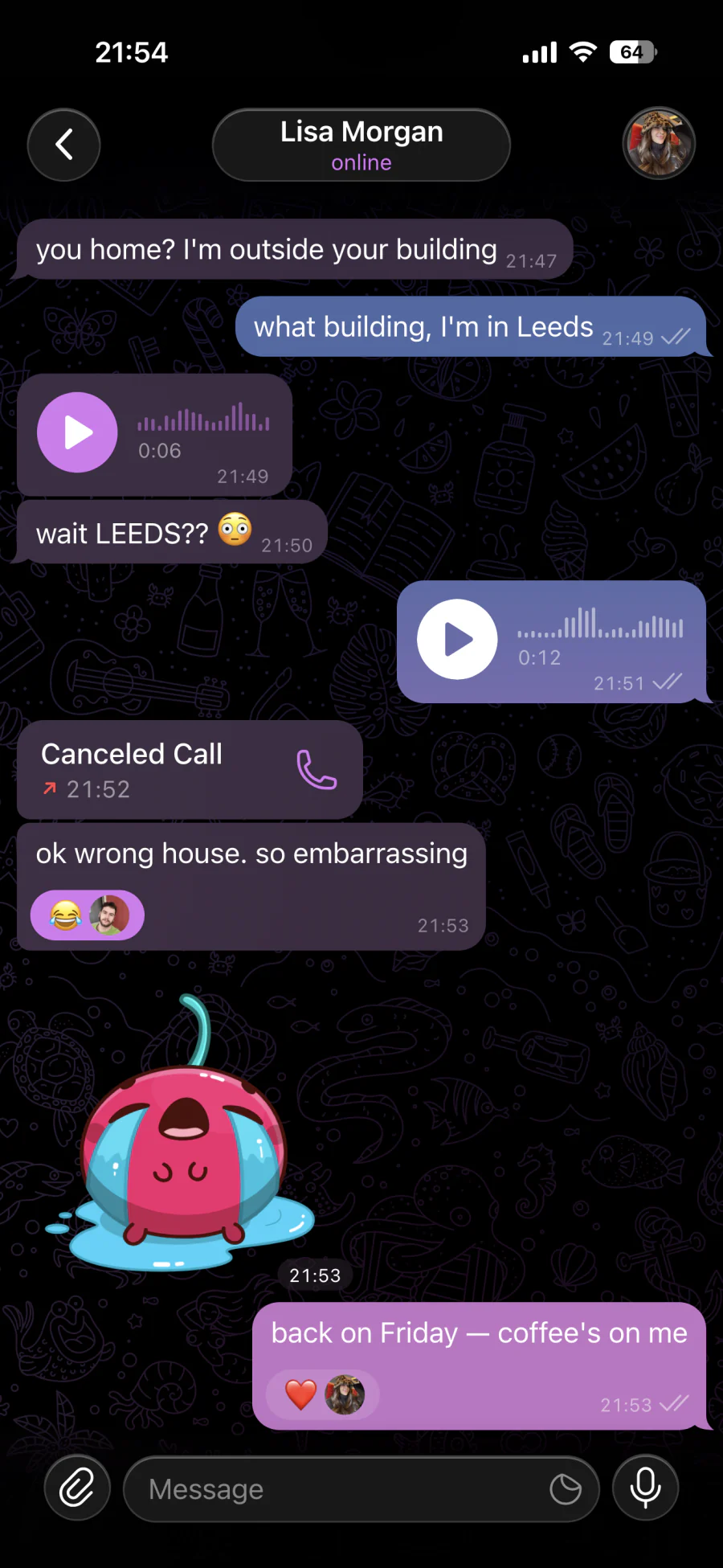
Lisa is "online" and replies within a minute or two, and the phone clock says 21:54 — one minute after the last message. No detail contradicts another.
How to set up the contact in the bot
- Open the bot and tap "Start".
- Set up the contact: your own name and photo, or "Random companion" for a country-specific name and a face from the database.
- Send the bot your lines: text, custom emoji, stickers, images. Put the time right in the text, in brackets: I'm outside your building (21:47). This only works for text messages — for everything else, change the time with the button on the message.
- Use "Add element" to insert a date, voice messages, calls or an NFT gift.
- Tap "Create screenshot", choose the contact's status and set the status bar time — automatically or by hand.
- Check the watermarked preview. Date in the wrong place? Fix it under "Message order". One generation gives you up to 10 screenshots.
The screenshot is ready in about 30 seconds:Create your contact and get the screenshotMake it in the browser
Prefer to see the whole conversation while you build it, or need a clip for TikTok and Reels? Try the browser-based chat generator (beta) that records MP4 video. For something to say, take one of the ready dialogs to adapt; for every button in more depth, read how to make a fake Telegram chat from “Start” to screenshot.
Contact details people forget
- A photo from a search engine — reverse image search finds it in seconds. A face from the 2,000-person database belongs to nobody your audience knows.
- Name and language don't match — "Javier Ortega" texting in flawless British slang. Pick the country in the name generator and switch auto-translation to its language.
- "Online", then a reply 40 minutes later — with an online status, keep gaps to 1–3 minutes; save long pauses for "last seen recently".
- The character drifts — someone who wrote "lol omw" in lowercase won't start using full stops five messages later. Keep the voice consistent across all 6–10 lines.
- The clock is behind the chat — last message at 21:53, status bar at 21:40. Set the phone time 1–5 minutes after the last line.
The rest of the small giveaways are covered in a fake TG screenshot you can't tell from real.
Common questions
Can I make a chat with a real person?
Technically you can use any name and photo. But with a friend, only if they're in on the joke — and instead of a celebrity, use a made-up character: just as funny, none of the fallout.
My contact is from another country — can I write in English and get their language on the screenshot?
Yes. The built-in auto-translation puts your lines on the screenshot in any of the available languages. Pair it with a name from that country's name generator. Auto-translation comes with tokens or a subscription.
How do I make the contact show as "online"?
The status is chosen when you tap "Create screenshot". Pick "online" if replies come within a minute or two; for a chat that ended a while ago, "last seen recently" fits better.
Do I need the contact's phone number?
No. An open Telegram chat shows the name, avatar and status — the number never appears in the header.
Can I add voice messages and calls?
Yes, through "Add element". The bot turns any media file into a video circle; calls are available with tokens or a subscription.