
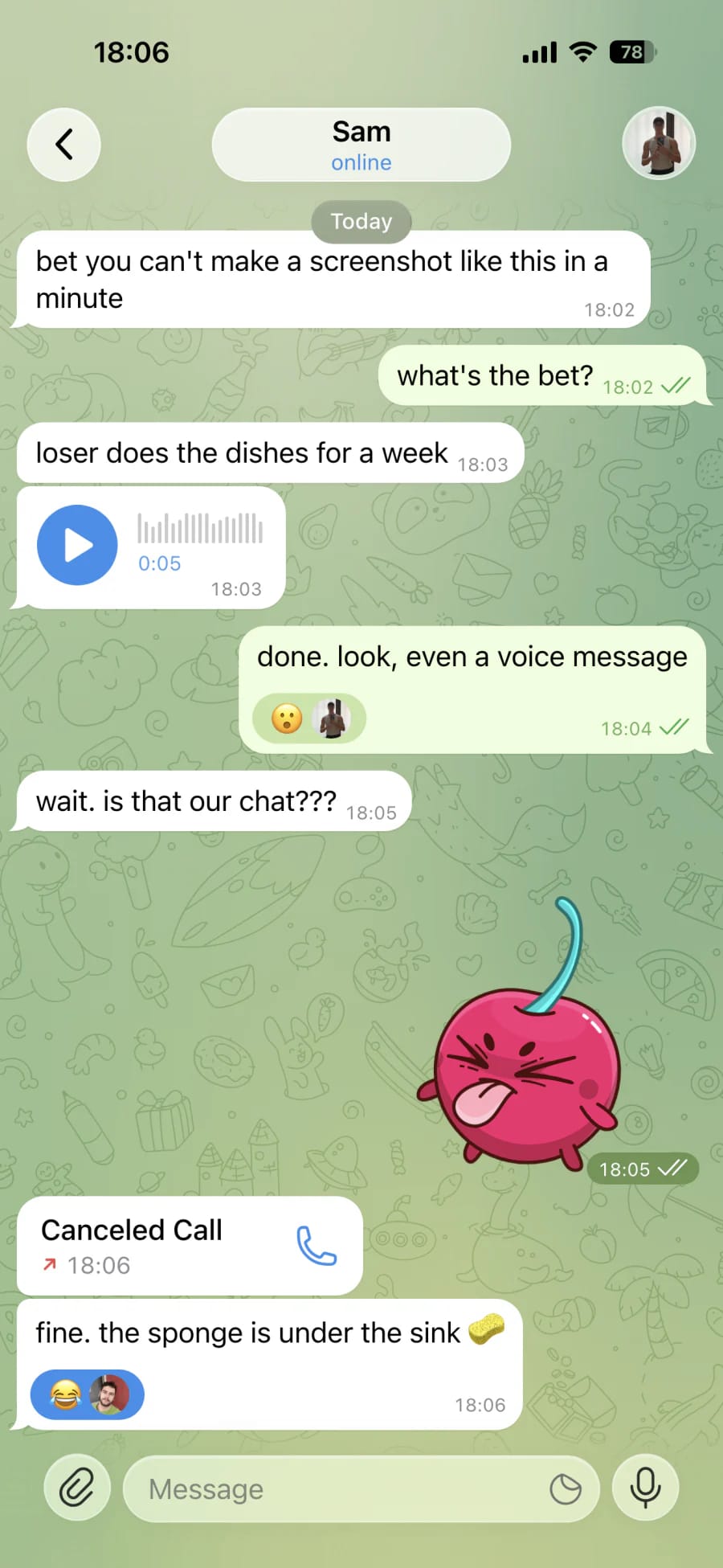
You need it now: the group chat is mid-argument, the video is half-edited, and the "free generator" in your third tab wants you to sign up first — then its Download button opens a pricing page. A fake Telegram chat for free can be ready before you finish reading this page: no sign-up, right inside Telegram, in about 30 seconds, with 2 free generations every day. Below is exactly what's included and where the limits are.
Fake Telegram chat for free: what's included and what isn't
The free plan is on by default — nothing to connect, nothing to pay. You get 2 generations a day, 10 screenshots each. Anything marked with an asterisk * in the bot unlocks with tokens or a subscription.
| Feature | Free | Tokens and subscriptions |
|---|---|---|
| Generations | 2 a day, 10 screenshots each | Tokens: one generation per token; Standard and Ultimate AI: no generation limits |
| Message text, date and time | Yes | Yes |
| Templates and themes | Template features, including themes | Every template feature |
| Media, including round videos | Yes | Yes |
| Blurring selected text | Yes | Yes |
| Calls, files, reactions | — | Yes |
| Stars, Premium, @send crypto bot receipts | — | Yes |
| NFT gifts | — | All of them, including new ones |
| Auto-translation and random companion | — | Yes |
| AI dialog generation, uploading a dialog as a file | — | Ultimate AI only |
The free plan covers a joke for the group chat, a story or a couple of frames for a video: a regular conversation with dates, times, round videos and a theme. You only pay when you want the "expensive" details — Stars, gifts, Premium, calls — or volume.
What one free generation looks like
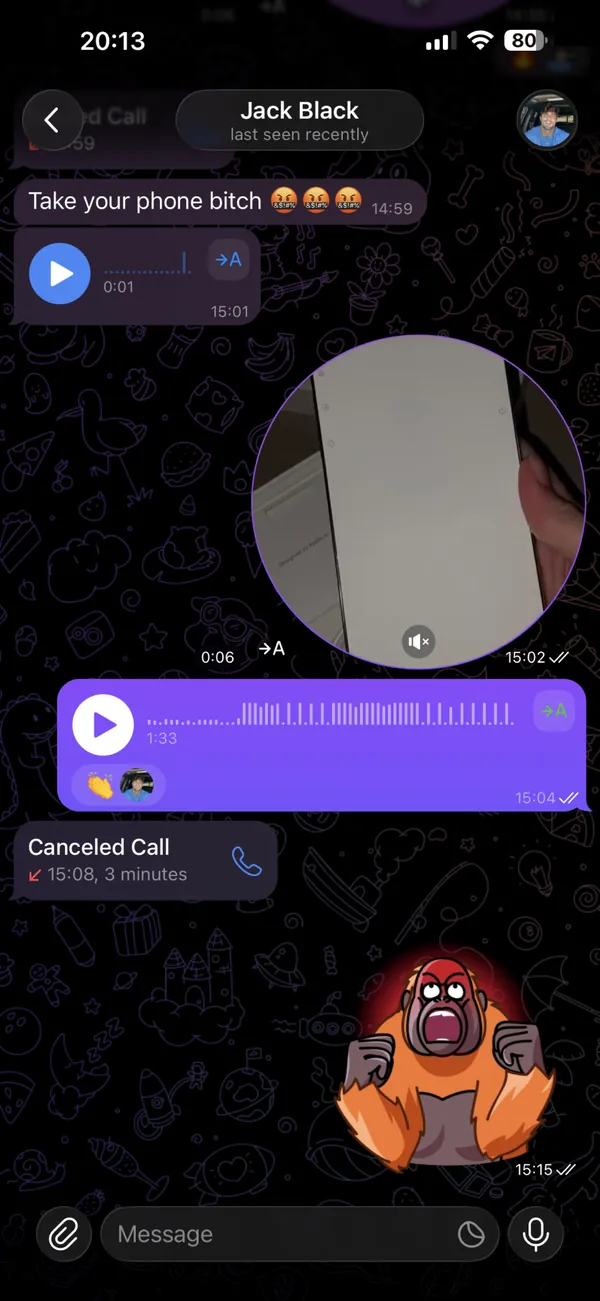
Missed and cancelled calls, voice messages, a round video, reactions and a sticker — this is what a screenshot from the bot looks like. The round video and media are part of a free generation; calls and reactions come with tokens or a subscription.
From «Start» to the finished screenshot
- Tap «Start» in the bot and read the terms of use.
- Send the bot the messages for your chat. Put the time right in the text, in brackets: "so is the bet still on? (21:14)". This only works for text messages — for photos and round videos, change the time with the button on the message.
- Need a date or a voice message? Tap «Add element».
- Tap «Create screenshot» and pick the contact's status — it decides how their "last seen" time is shown.
- Set the time in the phone's status bar, automatically or by hand.
- Check the watermarked preview: message order, dates, media. Date in the wrong spot? Use «Message order». Everything right? Get your screenshot.
Every tap above is explained in more depth in the step-by-step guide: how to create a fake Telegram chat, including the contact and the status bar.
Now try it with your own dialog:Make a screenshot in 30 secondsMake it in the browser
Where people lose time (and generations)
- Setting times one button at a time — 10 messages means 10 extra taps. Type (HH:MM) into the text while you write each line.
- Every message in the same minute — five replies all at 21:14 look staged. Space them 1–3 minutes apart.
- A 30-message chat — a joke needs 4–8 messages: quicker to build, easier to read on a phone screen.
- A paid element on the free plan — a gift, Stars or a call marked * won't make it into a free screenshot. If the whole joke depends on one, check «Profile» first.
- Skipping the preview — it arrives before the final screenshot precisely so you can catch a misplaced date. Checking takes 5 seconds.
If your screenshot has to survive a close look, here's the detail-by-detail guide to a realistic fake TG screenshot.
When you hit the daily free limit
Tokens are a one-time payment: one generation per token, plus every asterisk element. Standard removes generation limits and adds 24/7 support. Ultimate AI is a monthly payment with no auto-charges (you top up manually) and adds AI dialog generation and uploading a dialog as a file. Each tier includes everything from the previous one, and subscriptions come in 1, 3 or 6 months — the longer, the better the deal. You can pay with any cryptocurrency (30+ networks), Telegram Stars or the crypto bot. Compare them in the bot's «Profile» or on the Fakegram pricing page.
What the free plan is enough for
Pranks on friends and coworkers — chat-screenshot videos are a genre of their own on TikTok. Guides and customer-support scripts: sometimes a dialog explains things better than a wall of text. Video editing: drop the screenshot straight into the frame. No plot yet? Start from fake Telegram chat examples you can adapt. If you need the whole chat as a video, there's also a browser-based chat generator (beta): you see the whole conversation as you build it and can record it as an MP4 for TikTok or Reels.
These screenshots are for jokes, content and mockups — passing them off as a real conversation is not okay. For the bigger picture, read everything about fake Telegram chats.
FAQ
Is it really free, or will it ask for money later?
2 generations a day cost nothing and need no sign-up — the bot runs right inside Telegram. You only pay for asterisk elements and for generations beyond the limit.
What's included in a free generation?
Up to 10 screenshots with message text, dates and times, templates and themes, media including round videos, and blur for selected text. Calls, reactions, Stars, Premium, gifts and auto-translation are marked * and need tokens or a subscription.
What happens when I've used both free generations?
You get 2 new ones the next day. If you need more today, buy tokens (one generation each) or take Standard or Ultimate AI, which have no generation limits.
Why is there a watermark on the screenshot?
That's the preview: the bot sends it so you can check message order, dates and media before you get the screenshot.
Does it work on a computer?
Yes. The bot lives in Telegram, so you can build a screenshot from your phone or your computer.